
How to Use Virtual Backgrounds on Zoom to Market Your Business
In my previous video in the 90 Day Youtube Challenge, we were playing with the design we created in Canva. Now we’re going to create a branded step and repeat background for our business using this virtual background feature and Canva. Upload your logo inside of Canva. Turn your logo at a 45° angle. Select […]
How to use design to amplify your virtual event | GSD Solutions Case Study
Using the Remo platform we are able to create custom maps and our team of designers love it! Design allows all participants from attendees to speakers to emerge into an experience that enables us to connect, learn, and interact together! At GSD Solutions we are tech and virtual event experts! Visit us and let’s Talk […]
How to Turn on Youtube and Facebook Live Streaming in Zoom Settings
In this tutorial, we’ll be talking about how to set up and connect your Zoom, so that way you have the ability to go live on Facebook and YouTube. Go over to Zoom.us and log into your account. Once you’ve logged into your account, head on over to Settings at the far left. Inside of […]
How to go LIVE on LinkedIn via Zoom
https://youtu.be/99vaaiuOrGQ In this video, we teach you how to go live on LinkedIn using Zoom – quick and easy! 1 – Go to zoom.us 2- Go to settings on the left side 3 – Press Ctrl + F and type “streaming” 4 – Make sure to allow livestreaming of meetings 5 – Select Custom Live […]
How to go Live on Facebook from Zoom
If you want to go live on Facebook using Zoom, what you want to do is, With a Zoom meeting open, you want to go over to these three little dots at the end above “More” and hit “Live on Facebook.” It’ll then open another tab and start creating the broadcast inside of Facebook. Once […]
How to Set Up a Zoom Meeting in 2023
https://youtu.be/iktX51ToT4A In this video, you’ll learn ALL the details on how to set up a Zoom meeting [2023 updated]. Watch as Georgie-Ann Getton gives you a real walkthrough of the Zoom meeting creation process. ⬇️⬇️⬇️⬇️⬇️ 1) Go to zoom.us 2) Sign in your account 3) Click on “Schedule” 4) Add the topic of your meeting […]
5 BETTER Ways to Spend Your Tax Refund
That time of year is here again. Tax refund season! Your W2’s have come in the mail and you are off to file your taxes and get that refund money. You have been eyeing that new shirt, that new car, that vacation, those new shoes for MONTHS! Soon a deposit will hit your bank account […]
Can 2020 Still Be My Year To Start A Business?
Like most of us, on January 1st, you had a plan and a New Year Resolution. 2020, the year of clear vision would be different than most because you had the intention to make your goals reach fruition. You walked into 2020 saying “this is going to be the year I start my business.” However, […]
How to Create a Zoom Poll Before your Meeting
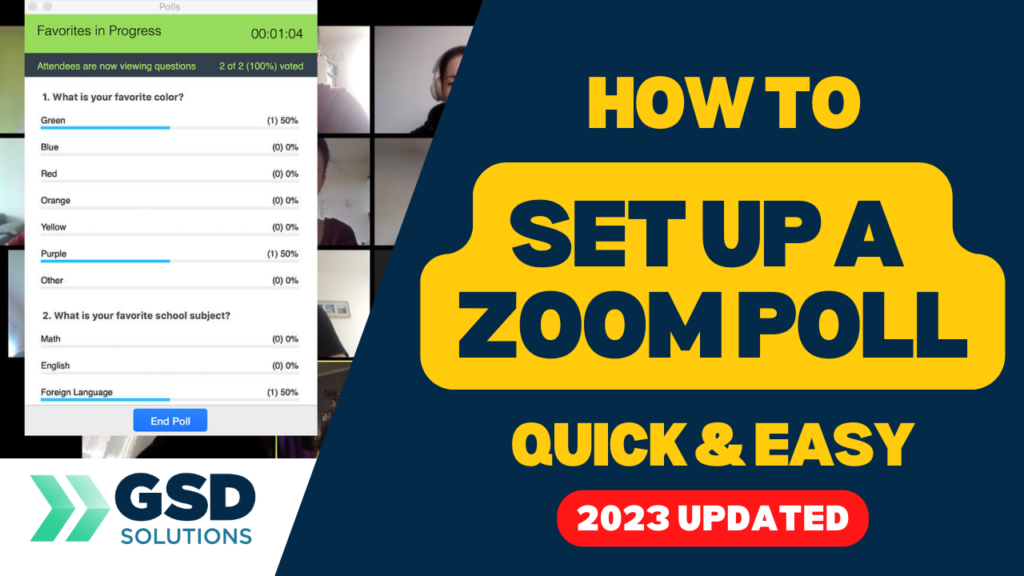
https://youtu.be/Khdqjsxlpx0 In this video, you’ll learn ALL the details on how to set up a Zoom poll for your meetings. You won’t need to create it live, watch as Georgie-Ann Getton set up a poll prior to the event and how you can do it too. Here are the steps: 1) Inside zoom.us/meeting, go to […]
You have been up-selling incorrectly, Here’s why.
I’ve misunderstood the “upsell from free workshop” model and possibly so have you. For a long time I would do free events and services hoping these freebies would get potential clients into the door who would then purchase premium products and services. The idea was to give them a sample then encourage them to buy […]